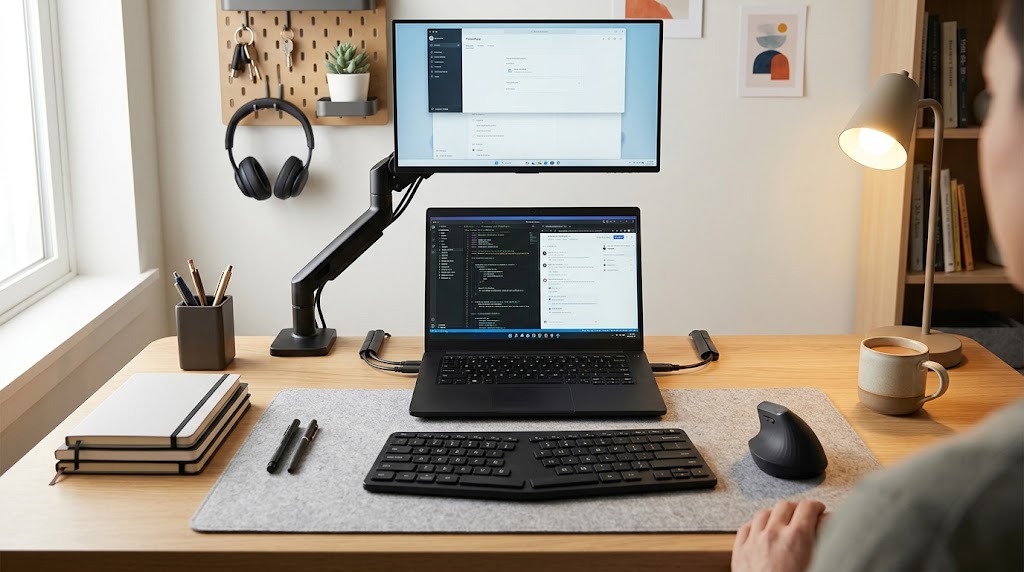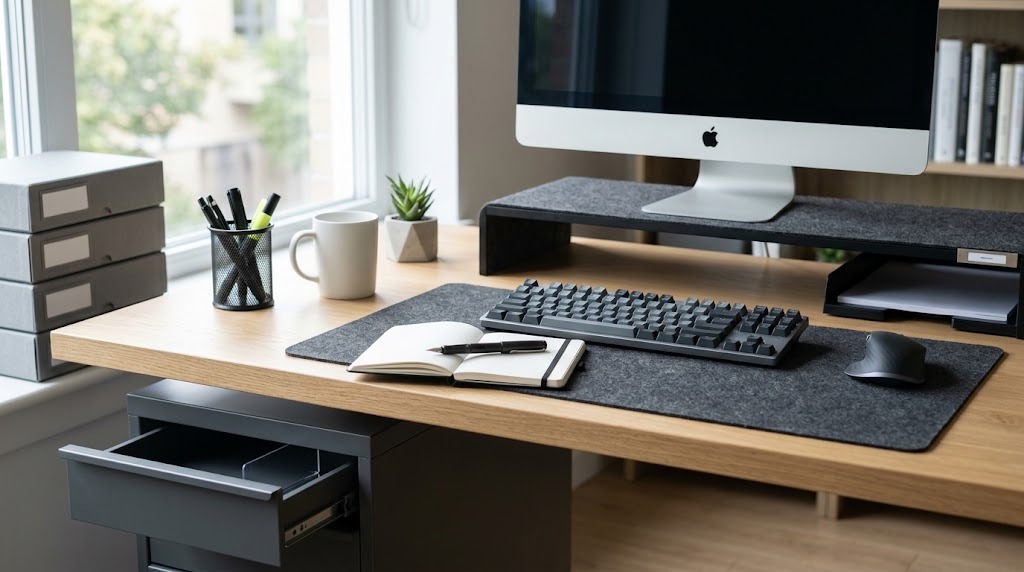
Small desk organization is the strategic practice of maximizing workspaces under 48 inches wide—or less than six square feet of surface area—by prioritizing vertical and peripheral storage. This spatial engineering reduces cognitive overload, eliminates physical clutter, and enforces strict physical-digital boundaries to enhance productivity in constrained environments.
Key Facts / At a Glance:
- Typical Dimensions: Small desks range from 32 to 44 inches in width and 20 to 24 inches in depth.
- Core Constraint: The “One-In, One-Out” rule dictates no new permanent item can reside on the desk unless an existing item is removed.
- Maintenance Requirement: Sustaining the system requires 2 minutes of daily resetting and 15 minutes of weekly deep cleaning.
- Financial Investment: Complete reorganization ranges from 20 USD (budget basics) to 500+ USD (premium setups).
What Are the Core Principles of Small Desk Organization?
The core principles of small desk organization rely on environmental psychology and biomechanics to dictate where physical items should live. Because compact workstations lack horizontal surface area, optimization requires manipulating the Y-axis (height) and the immediate surrounding environment.
Cognitive Load Theory and Visual Clutter
Visual clutter directly competes for the brain’s neural resources. Every loose cable, pen, or mug acts as a visual stimulus that the brain must subconsciously process and filter out. By clearing the flat surface of a small desk, users reduce cognitive drift and allocate maximum focus to the digital or physical task at hand.
The “Zones of Reach” Framework
Spatial engineering maps a desk into three distinct zones based on frequency of use and physical biomechanics.
- Primary Zone (0–15 inches from user): Reserved exclusively for active input devices. This includes the mouse, keyboard, and an active notepad.
- Secondary Zone (15–25 inches from user): Arm’s length storage for tools accessed daily but not constantly. This houses pens, daily beverages, and reference documents.
- Tertiary Zone (Beyond 25 inches): Areas requiring leaning or standing. This zone holds archive files, backup hard drives, and charging hubs.
Vertical Displacement and Decentralized Storage
Vertical displacement involves utilizing the cubic airspace above and below the desktop rather than spreading outward. Decentralized storage pushes this concept further by moving non-essential items completely off the desk architecture, relying instead on adjacent walls, floating shelves, or floor-based rolling carts.
How Do You Organize a Small Desk in Under Three Hours?
You organize a small desk by executing a sequential, five-step framework that takes roughly 120 to 180 minutes. The outcome relies entirely on auditing existing physical items before integrating any new storage infrastructure.
Before You Start
- Time Required: 2 to 3 hours.
- Difficulty: Moderate (requires basic cable management).
- Tools Needed: Microfiber cloth, measuring tape, reusable cable ties, adhesive strips.
- Prerequisite: Measure your desk width, depth, and the clearance space behind the desk before purchasing any organizational hardware.
Step 1: The Total Purge (30 Minutes)
Remove every single physical item from the desk until the surface is completely bare. Clean the desktop with a microfiber cloth and appropriate surface cleaner. Group all removed items into a single staging area, such as a nearby bed or floor space.
- Checkpoint: The desk must contain zero items, and power strips should be unplugged.
Step 2: The Radical Audit (30 Minutes)
Categorize the staged items into three rigid piles: Keep on Desk (used daily), Keep Nearby (used weekly), and Discard/Archive (broken tools, old receipts, or monthly items). Enforce the 14-day rule: if an item has not been touched in the last two weeks, it leaves the immediate desk environment.
- Common Mistake: Keeping multiples of the same item (e.g., five pens). Retain only one active tool per category.
Step 3: Map the Tech Infrastructure (30 Minutes)
Position the largest hardware first—the monitor, laptop, and keyboard. Route all data and power cables behind the desk lip using adhesive clips, zip ties, or neoprene sleeves before placing any smaller organizing accessories.
- Information Gain Tip: If using a laptop alongside a monitor on a desk shallower than 22 inches, operate the laptop in “clamshell mode” (closed) and mount it vertically in a stand to reclaim up to 40% of the desk’s depth.
Step 4: Deploy Vertical and Sub-Desk Elements (30 Minutes)
Install secondary infrastructure, such as monitor risers, under-desk slide-out drawers, or wall-mounted pegboards. Ensure the Primary Zone (the space directly under the hands) remains completely unobstructed.
- Checkpoint: The keyboard should easily slide underneath the monitor riser when not in active use.
Step 5: Micro-Organize the Essentials (30 Minutes)
Place remaining essentials—pens, notebooks, and small tech—into dedicated slots or small trays. Group these items strictly by function, such as dedicating one small pouch to all charging cords.
Which Layout Strategy Should You Choose?
You should choose a small desk layout strategy based on your primary workflow, your desk’s physical placement in the room, and your aesthetic tolerance for visible tools.
| Layout Type | Primary Storage Mechanism | Best Target User | Advantages | Drawbacks / Constraints |
| The Vertical Lift | Monitor shelves, risers, and clamped vertical trays. | Remote tech workers, coders, students. | Keeps footprint tiny; creates structured, tiered storage directly in front of the user. | Heavy monitors require heavy-duty arms; C-clamps require at least 2 inches of rear desk lip clearance. |
| The Off-Desk Perimeter | Wall-mounted pegboards, floating tracks, magnetic rails. | Creatives, crafters, minimalists. | Frees up 100% of desktop surface area; highly modular and customizable. | Requires drilling into walls; items are constantly exposed to dust; unusable for desks facing windows. |
| The Hidden Sub-Desk | Under-desk slide-out drawers, cable cages, floor carts. | Ultra-minimalists, corporate professionals. | Zero visual clutter; maintains a pristine, distraction-free workspace. | Slide-out drawers can severely limit knee clearance on desks shallower than 20 inches. |
What Are the Essential Small Desk Product Ecosystems?
To maximize a small desk, you must select product ecosystems specifically engineered for restricted dimensions. Standard office organizers are often too bulky for desks under 48 inches wide.
Desk Risers and Shelf Organizers
Desk shelves elevate monitors to ergonomic eye level while creating a hollow “garage” beneath the display. This negative space allows users to tuck away keyboards, tablets, or notebooks. Premium brands like Grovemade offer solid hardwood options, while metal or acrylic alternatives provide budget-friendly support.
Pegboards and Wall Systems
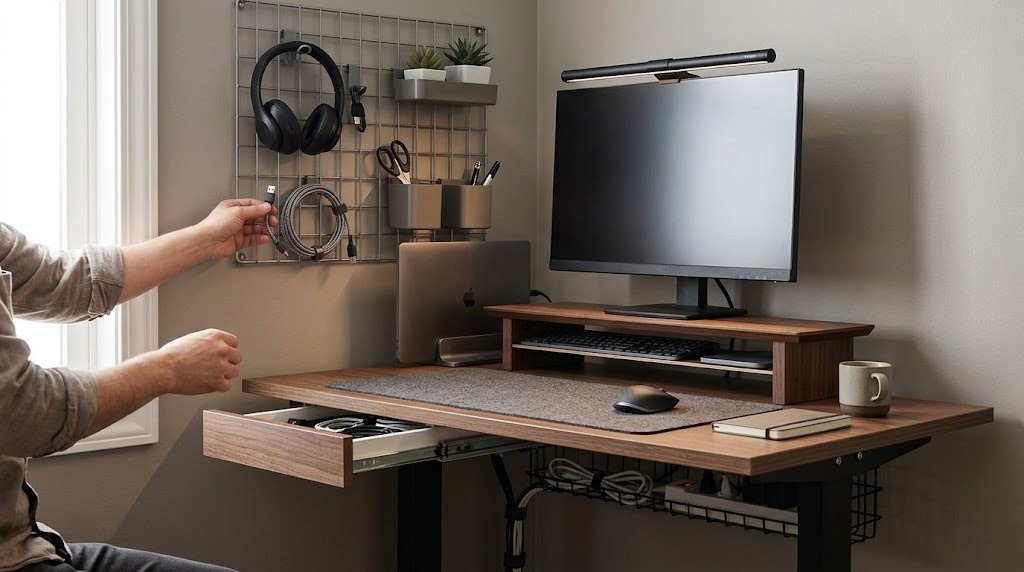
Pegboards shift storage entirely off the horizontal plane. Systems like the IKEA Skådis use modular hooks, bungee cords, and small bins to hold headphones, scissors, and cables vertically.
Under-Desk Storage and Cable Cages
Under-desk ecosystems utilize the dead air space beneath the desktop. Screw-on or heavy-duty adhesive drawers hold low-profile items like sticky notes and flash drives. Wire cable cages mounted to the rear underside of the desk catch bulky power strips, preventing wire cascades.
Monitor Light Bars (Space-Saving Lighting)
Traditional base-mounted desk lamps consume valuable Primary Zone real estate. Monitor light bars clip directly to the top bezel of a monitor, casting asymmetrical light downward onto the keyboard without causing screen glare or consuming any surface area.
What Are the Most Common Organization Mistakes?
The most common small desk organization mistake is purchasing storage solutions before measuring the desk’s physical constraints.
- Mistake 1: Buying Organizers Before Measuring. Users frequently buy deep trays that consume 40% of the usable workspace.
- The Fix: Measure desk depth and keyboard dimensions first. Ensure any riser allows the specific keyboard model to slide entirely underneath it.
- Mistake 2: Storing “Just in Case” Items. Hoarding extra notebooks, highlighters, and charging bricks on the surface limits physical movement.
- The Fix: Enforce the “Power of One” rule. Keep one active notebook, one primary pen, and one multi-device charging cable on the desk. Store the rest in a closet.
- Mistake 3: Ignoring Cable Chaos. Dangling wires catch on legs, snag on chair armrests, and generate immense visual noise.
- The Fix: Mount a heavy-duty wire basket under the back edge of the desk. Route all power strips into this basket so only one master cable drops to the wall outlet.
- Mistake 4: Over-Tightening Cable Ties. When securing cables to sit-stand desks, tight zip ties prevent the cables from moving when the desk rises, ripping ports out of monitors or laptops.
- The Fix: Always raise a standing desk to its maximum height before securing cable ties, ensuring there is enough slack in the lines.
How Much Does a Small Desk Setup Cost?
A small desk organization setup costs between 20 USD and 500+ USD, depending on the materials chosen and the reliance on premium mechanical parts (like gas-spring monitor arms).
- Budget Setup (20–50 USD): Relies on adhesive under-desk drawers, basic plastic cable routing trays, and simple acrylic or fixed-height metal monitor stands.
- Mid-Range Setup (60–150 USD): Incorporates metal pegboard systems, basic steel monitor arms, fabric cable sleeves, and entry-level wooden desk shelves.
- Premium Setup (200–500+ USD): Features handcrafted solid hardwood desk shelves, premium aluminum gas-spring monitor arms, integrated leather desk mats, and high-end magnetic cable routing systems.
Frequently Asked Questions About Small Desk Organization
How deep should a small desk be for a monitor?
A desk should be at least 20 to 24 inches deep to comfortably accommodate a monitor. If your desk is shallower (15 to 18 inches), you must use a wall-mounted or desk-clamped monitor arm to push the screen backward, protecting your eyes and leaving room for a keyboard.
Can I use dual monitors on a small desk?
Yes, dual monitors can fit on desks as small as 40 inches wide if you use a dual-monitor clamp arm. Stacking the monitors vertically (one above the other) instead of side-by-side prevents the displays from extending past the physical edges of a narrow desk.
What is the best way to organize a laptop on a small desk?
The best way to organize a laptop is to use it in “clamshell mode” (closed) and place it in a vertical, space-saving dock behind the main monitor. If you need the laptop screen as a second display, elevate it on a floating laptop arm to reclaim the desk space underneath.
How do I manage a printer on a small desk?
Printers should never reside on the surface of a small desk. Utilize decentralized storage by placing the printer on a rolling floor cart beneath the desk, or on a floating wall shelf located in the Tertiary Zone (above or to the side of the desk).
How often should I clean a small desk?
Small desk organization requires daily maintenance due to the limited surface area. Spend two minutes at the end of every workday returning pens to their trays and clearing mugs. Perform a 15-minute reset every week to wipe the surface and archive loose papers.