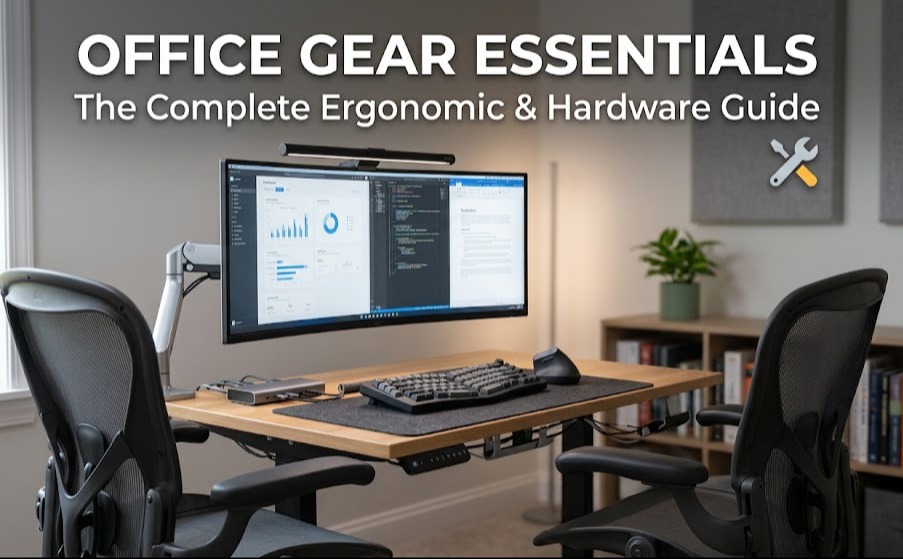
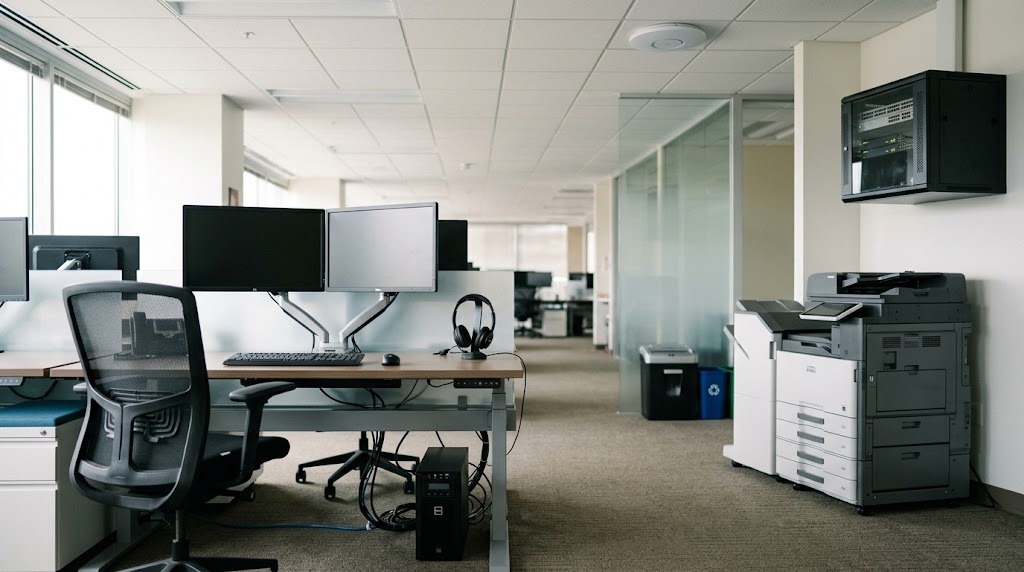
Essential office equipment encompasses the foundational hardware and infrastructure required to sustain daily business operations securely and efficiently. This includes enterprise networking devices, ergonomic workstations, multi-function printers, uninterruptible power supplies, and collaborative technology. Selecting the correct tier of equipment ensures maximum uptime, regulatory compliance, and sustained employee productivity.
Key Facts:
- Networking Standard: Modern offices require managed PoE+ switches capable of delivering 15.4W to 30W per port to power Wi-Fi 6E/7 wireless access points.
- Print Economy: Ink tank multi-function printers reduce monochrome cost-per-page to 0.2¢, compared to 1.5¢–2.5¢ for standard laser printers.
- Ergonomic Baselines: Commercial-grade task chairs require a seat height adjustability range of 15 to 22 inches to accommodate standard workforce percentiles.
- Power Continuity: Critical servers require Online Double-Conversion UPS systems, which feature a 0ms transfer time to battery power during utility failures.
- Procurement: Enterprise hardware is typically depreciated over 36 to 60 months, favoring operational lease models for companies over 20 employees.
What Equipment Is Needed for a Modern Office?
Modern office environments rely on five interdependent infrastructure categories to function. A failure in enterprise networking immediately neutralizes cloud productivity; insufficient power supply (UPS) hardware risks catastrophic data loss; and poor ergonomic workstation setups lead to quantifiable increases in workers’ compensation claims. Structuring your procurement around these core pillars prevents bottlenecks as organizational headcount scales.
1. Core Workstation Hardware & Ergonomics
What makes an ergonomic task chair essential?
An ergonomic task chair dynamically distributes a user’s body weight to support the natural “S” curve of the human spine, minimizing musculoskeletal strain during prolonged sitting. Through mechanical linkages, pneumatic cylinders, and tension springs, these chairs neutralize pressure points on the thighs, pelvis, and lumbar spine by allowing customization of physical contact angles.
Key Specifications for Seating:
- Seat Height & Depth: Commercial chairs demand a height range of 15 to 22 inches from the floor. Seat depth adjustment (sliders) must allow 2 to 4 inches of clearance between the back of the user’s knees and the seat edge.
- Material Types: Mesh suspensions provide maximum thermal regulation and responsive contouring, ideal for warm climates. Molded foam or upholstered models offer distributed pressure mapping but retain body heat and degrade over heavy usage.
- Durability: Premium ergonomic seating (e.g., Herman Miller Aeron, Steelcase Gesture) carries a 12-year warranty rated for 24/7 continuous multi-shift usage, justifying the $1,200 to $2,000 price point.
Integrating Sit-Stand Desks and Displays
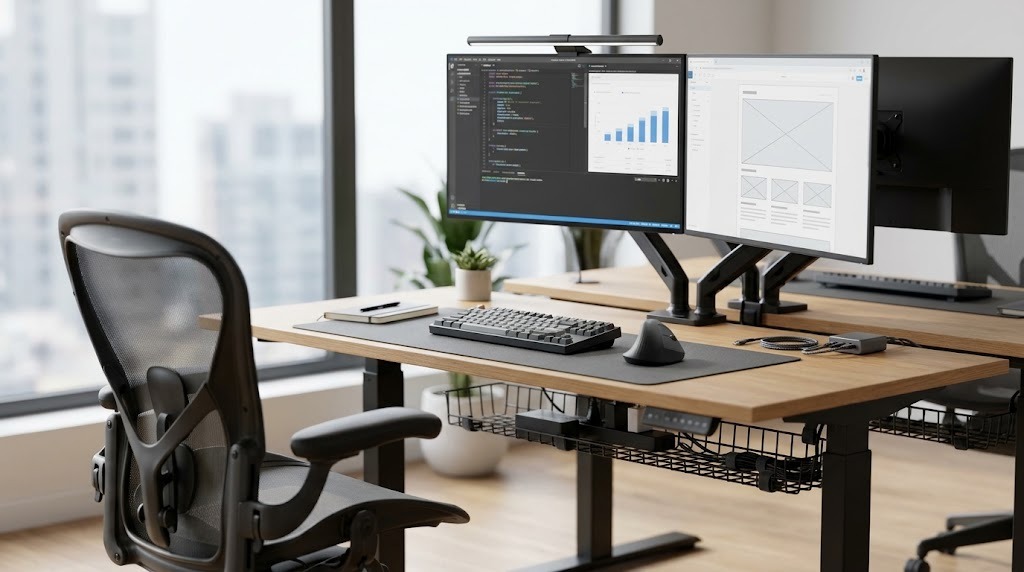
A proper workstation extends beyond the chair. Electric sit-stand desks require dual-motor mechanisms with a minimum lifting capacity of 220 lbs to prevent motor burnout under the weight of dual monitors and mounts. External displays should be mounted to articulating VESA (100×100) gas-spring arms, allowing the top third of the monitor to sit strictly at eye level, preventing cervical spine compression.
- Common Troubleshooting: If a chair suffers from a “sinking seat,” the pneumatic gas cylinder has lost its pressure seals. This is a modular, easily replaceable part. Use a pipe wrench and a rubber mallet to dislodge the old cylinder and drop a $30 replacement into the wheelbase.
2. Enterprise Networking Hardware
How does enterprise networking hardware direct traffic?
Enterprise networking hardware manages local data traffic and routes information securely to and from the public internet using routers as boundary gateways, switches as local traffic controllers, and wireless access points (WAPs) to broadcast secure Wi-Fi envelopes.
System Architecture Options:
- Managed Switches: Unlike $50 plug-and-play unmanaged switches, managed switches allow IT administrators to configure Virtual Local Area Networks (VLANs), monitor bandwidth bottlenecks, and prioritize critical voice and video traffic through Quality of Service (QoS) rules.
- Power over Ethernet (PoE+): Enterprise switches must supply 15.4W to 30W (PoE+) per port. This enables the switch to power VoIP phones, security cameras, and WAPs directly through the copper ethernet cables, eliminating the need for localized power outlets.
- Wi-Fi 6E & Wi-Fi 7 WAPs: Modern commercial WAPs utilize the less congested 6 GHz wireless spectrum alongside the traditional 2.4 GHz and 5 GHz bands. Enterprise access points can handle 200 to 500 simultaneous client devices without dropping connections, whereas standard consumer routers fail at roughly 30 to 50 devices.
- Throughput: Core network backbones utilize 1 Gbps (Gigabit) ports as the baseline standard, with server uplinks scaling to 10 Gbps to facilitate large cloud data transfers.
Expert Practitioner Insight: Never daisy-chain multiple cheap, unmanaged switches together in an office environment. This creates spanning tree loops and broadcast storms that will rapidly crash the entire local network.
- Common Troubleshooting: For intermittent Wi-Fi drops, check for channel overlap. Access the WAP controller interface and force devices to non-overlapping channels (1, 6, or 11 on the 2.4 GHz spectrum) or migrate devices entirely to 5/6 GHz bands. If local network backups are crawling at 10Mbps, verify that switch port negotiation is set to Full Duplex 1000Mbps; a damaged Ethernet pin often forces an automatic drop to lower speeds.
3. Document Management: Multi-Function Printers (MFPs)
Which multi-function printer type is best for your volume?
The optimal multi-function printer depends entirely on your monthly document volume and color requirements; laser MFPs dominate text-heavy, high-volume workflows due to their speed, while ink tank systems provide ultra-low operating costs for medium-volume color printing. An MFP centralizes printing, scanning (via CCD or CIS sensors), copying, and faxing into a single networked unit.
| MFP Type | Operating Mechanism | Cost Per Page (CPP) | Best For | Drawbacks |
| Laser MFP | Projects electrostatic image onto a drum; heat rollers fuse charged toner powder to paper. | Mono: 1.5¢–2.5¢ Color: 10¢–15¢ | Legal firms, text-heavy offices, high-volume deployments. | High upfront hardware cost; high power draw; poor glossy photo quality. |
| Inkjet MFP | Microscopic nozzles spray liquid ink droplets directly onto paper via thermal pulses. | Mono: 5¢–8¢ Color: 15¢–25¢ | Low-volume home offices; high-fidelity marketing materials. | Exorbitant replacement cartridge costs; ink dries out if unused. |
| Ink Tank MFP | Inkjet system utilizing refillable bulk ink bottles instead of disposable cartridges. | Mono: 0.2¢–0.5¢ Color: 1¢–2¢ | Creative studios, hybrid workers, medium color volume. | Slower print speeds; risk of printhead nozzle clogging. |
Key Output Metrics:
Print speed is measured in Pages Per Minute (PPM). Entry-level models produce 15–20 PPM, mid-range commercial units achieve 35–50 PPM, and high-volume departmental floor models exceed 70+ PPM. Duty cycle dictates the maximum monthly volume a chassis can handle without mechanical failure, ranging from 5,000 pages for SMBs to 150,000+ pages for enterprise machines.
- Common Troubleshooting: Buying low-cost consumer inkjet printers for a busy office is the most frequent procurement mistake; the upfront savings are erased by replacement cartridge costs within three months. To fix paper jams, always clear the path in the direction of the paper flow to prevent tearing internal rollers. Keep paper in climate-controlled storage—damp paper causes immediate misfeeds.
4. Infrastructure Protection: Uninterruptible Power Supplies (UPS)
Why are uninterruptible power supplies critical for data retention?
Uninterruptible power supplies condition utility power and provide near-instantaneous emergency battery backups when the main electrical grid fails, granting servers and workstations exactly enough runtime to execute graceful software shutdowns and prevent database corruption.
UPS Topologies and Transfer Times:
- Standby (Off-line): The most basic layout, resorting to the battery only when utility power cuts out completely. It features a minor transfer time gap of 4 to 10 milliseconds. Best for basic desktop peripherals.
- Line-Interactive: Features an autotransformer that regulates brownouts and minor voltage spikes without draining the internal battery. With a transfer delay of just 2 to 6 milliseconds, this is the standard for network switches and standard workstations.
- Online Double-Conversion: Continuously converts incoming AC power to DC, then back to perfectly clean, laboratory-grade AC power. Because the equipment runs off the continuous conversion loop, the transfer time to battery is 0ms. This is mandatory for critical database servers, though it carries a high baseline energy draw and costs $1,200 to $4,000+.
Expert Practitioner Insight: Never plug a laser printer into the battery-backed outlets of a UPS. A laser printer’s heating fuser draws massive, sudden spikes of alternating current that will instantly overload and fry the UPS inverter. Only use the “surge-only” outlets for printing hardware.
- Common Troubleshooting: If a UPS emits a constant, rhythmic beeping, the internal sealed lead-acid battery is depleted and can no longer hold a nominal charge. Expect to replace UPS battery sleds every 3 to 5 years.
5. Collaboration & Security Infrastructure
What hardware supports hybrid collaboration and physical security?
Collaboration and security hardware bridges the gap between remote and in-office staff while maintaining strict regulatory compliance over physical data. As hybrid work normalizes, consumer-grade webcams and standard recycling bins are no longer legally or operationally sufficient.
- Unified Communications (UC): Conference rooms require PTZ (Pan-Tilt-Zoom) camera systems equipped with active speaker tracking and beamforming microphone arrays. For individual workers, DECT wireless headsets are superior to Bluetooth in dense offices, offering a 300-foot range and hardware-level encryption.
- Physical Security: Compliance with HIPAA, GDPR, or financial regulations requires cross-cut paper shredders rated at DIN P-4 (which cuts paper into 421 particles) or P-5 (micro-cut for classified documents). Access control systems (RFID badge readers or biometric scanners) should be deployed at the network closet door to prevent physical tampering with switches and servers.
How Much Does It Cost to Set Up an Office?
Equipment configurations scale drastically based on headcount and square footage. Below are the consensus setups for two common business structures.
The Solopreneur / Remote Home Office
- Budget Expectation: $1,500 – $2,500 total.
- Networking & Power: Consumer Mesh Wi-Fi 6E 2-pack ($300) combined with a 900VA Line-Interactive desktop UPS ($120).
- Document Management: Mid-range Color Ink Tank MFP (e.g., Epson EcoTank or Canon MAXIFY GX). The low operating costs perfectly fit variable, unpredictable workloads ($350).
- Ergonomics: Steelcase Series 1 or Ergonofis YouToo chair ($400-$500). These provide high-grade ergonomic adjustments without enterprise pricing.
The Growing SMB (10–50 Employees)
- Budget Expectation: $15,000 – $35,000+ (often transitioned to an operating lease).
- Networking & Power: A centralized, climate-controlled wiring closet housing a dedicated Hardware Firewall, a 24-Port Managed PoE+ Switch, three ceiling-mounted corporate WAPs, and a 2U Rackmount 1500VA Line-Interactive UPS ($3,500+).
- Document Management: A leased A3 Floor-Standing Monochrome Laser MFP (handling 90% of office volume) supplemented by 1-2 smaller localized color inkjet units for marketing needs.
- Ergonomics: Fleet deployment of Herman Miller Aeron (Size B/C) or Steelcase Leap v2 chairs ($1,200 each). This upfront capital expenditure drastically reduces future workers’ compensation claims and physical therapy downtime.
Should You Lease or Buy Your Office Equipment?
Which procurement strategy is best for scaling businesses?
Operating leases are best for rapidly scaling businesses that require enterprise-grade hardware without draining cash reserves, whereas capital purchases (buying outright) are best for static companies utilizing standard commercial gear.
Because enterprise equipment—particularly MFPs and networking firewalls—requires constant maintenance and depreciates rapidly over 36 to 60 months, managed service providers (MSPs) offer hardware-as-a-service (HaaS). Leasing an $8,000 enterprise MFP ensures you receive automatic toner replenishment, same-day technician dispatch for broken rollers, and a free hardware upgrade at the end of the term. Buying equipment outright limits your ongoing operational expenses (OpEx) but leaves your IT department solely responsible for e-waste disposal and lifecycle hardware replacement.
Frequently Asked Questions
What is the lifespan of an average office computer?
Commercial-grade desktop and laptop computers typically have an optimal operational lifespan of 3 to 5 years. Beyond year four, battery degradation, outdated internal security modules (TPM), and the inability to process modern software updates efficiently result in measurable losses in employee productivity.
How many wireless access points do I need for my office?
As a general rule, deploy one enterprise-grade Wireless Access Point (WAP) for every 1,000 to 1,500 square feet of open office space. Heavy structural barriers, like concrete walls, elevator shafts, or dense metal shelving, will require you to increase access point density to prevent dead zones.
What is the difference between a router and a switch?
A router acts as the gateway between your local office network and the public internet, assigning IP addresses and blocking external threats. A switch functions entirely internally, physically connecting your office computers, printers, and servers together so they can share data with one another.
Are standing desks actually worth the investment?
Yes. Alternating between sitting and standing every 60 to 90 minutes increases blood flow, reduces lumbar disc compression, and mitigates afternoon lethargy. Ensure you purchase electric dual-motor frames; single-motor frames frequently burn out when tasked with lifting multiple monitors and heavy desktop PCs.