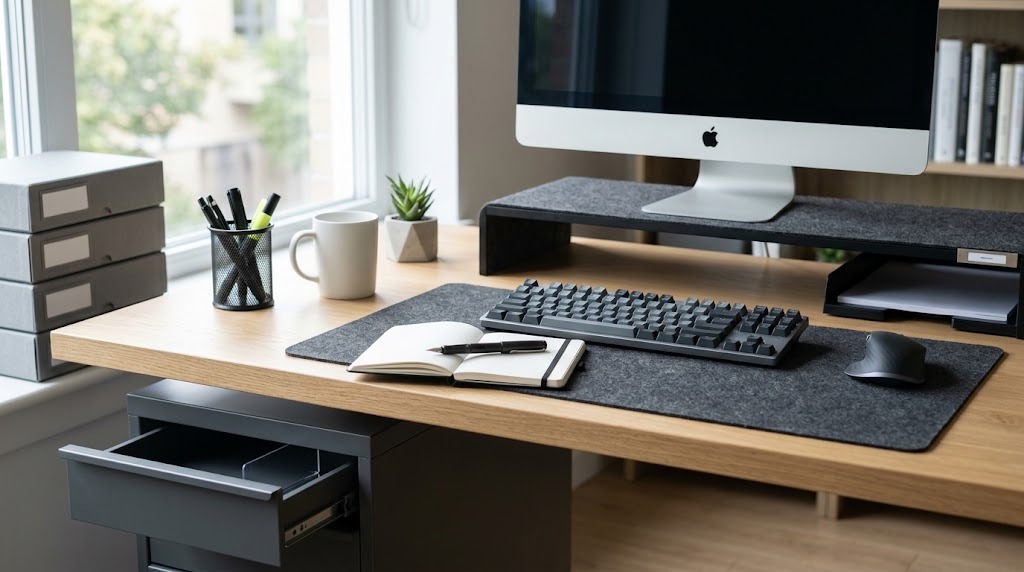
Desk storage ideas encompass organizational tools—such as monitor risers, under-desk mounts, and modular drawers—designed to maximize vertical, horizontal, and concealed workspace geometry. An effective desk storage system minimizes cognitive overload and streamlines daily workflows by keeping high-frequency essentials within an ergonomic, 15-inch primary reach zone.
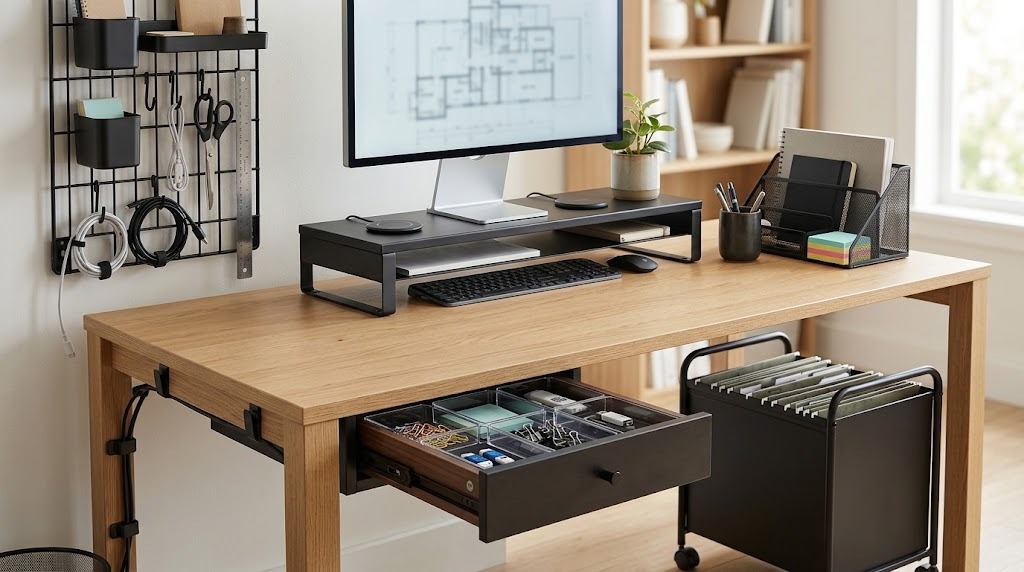
Key Facts
- Primary Reach Zone: High-frequency tools must remain within a 15-to-17-inch sweeping radius of your resting elbow position.
- Vertical Maximization: Monitor risers and pegboards reclaim 100–200 square inches of flat desktop real estate.
- Purchasing Rule: Always complete a full item inventory and measure desk dimensions before buying any storage containers.
- Clearance Requirements: Under-desk drawers require a minimum of 12 inches of flat, unobstructed mounting depth.
- Maintenance: Sustainable organization requires a strict 5-minute “reset to zero” at the end of each workday.
How Do You Implement a Desk Storage System?
Implementing a functional workspace requires a strict, phase-based methodology rather than immediately purchasing random containers. Proper desk organization is a four-step process that maps your physical tools to ergonomic zones, ensuring items are stored exactly where your biomechanics expect them to be.
Step 1: The Inventory and Purge Phase (1–2 Hours) Empty every drawer, box, and surface onto the floor. Group all items into three strict categories based on the “3-3-3 Rule”: Daily Use (mouse, primary pen, active notebook), Weekly Use (reference files, charging cables, tablet), and Archival/Deep Storage (tax documents, spare hardware, bulk stationery). Ruthlessly discard dried pens, outdated tech, and redundant cables.
Step 2: Reach Zone Mapping (30 Minutes) Divide your desk into three ergonomic storage zones based on arm extension.
- Primary Zone (Within forearm sweep / 15-inch radius): Reserved strictly for your keyboard, mouse, and one active notebook. Zero storage containers belong here.
- Secondary Zone (Full arm extension / 16–30 inches): Ideal for desktop organizers, monitor risers, pen cups, and daily reference materials.
- Tertiary Zone (Requires leaning or standing): Reserved for under-desk drawers, rolling file carts, and wall-mounted shelving.
Step 3: The Containment Strategy (1–3 Hours) Measure your available desktop surface, internal drawer dimensions (height, width, depth), and floor clearance. Install modular inserts into existing drawers first. Next, address desktop real estate using vertical stacking (monitor risers) and wall space (pegboards). Only buy containers that fit your specific measurements.
Step 4: The Label and Maintain Cycle (Ongoing) Label opaque bins using a thermal label maker to prevent the “out of sight, out of mind” failure mode. Commit to a 5-minute daily reset at the end of your workday to return every tool to its designated storage zone. You will know this step is successful when your desk is completely clear of loose items by 5:00 PM every day.
What Are the Core Desk Storage Categories?
The best desk storage ideas balance visual aesthetics with physical accessibility. Below are the definitive categories of workspace organization, evaluated for performance and utility.
1. Monitor Risers and Stands – Best for Laptop and Docking Station Users
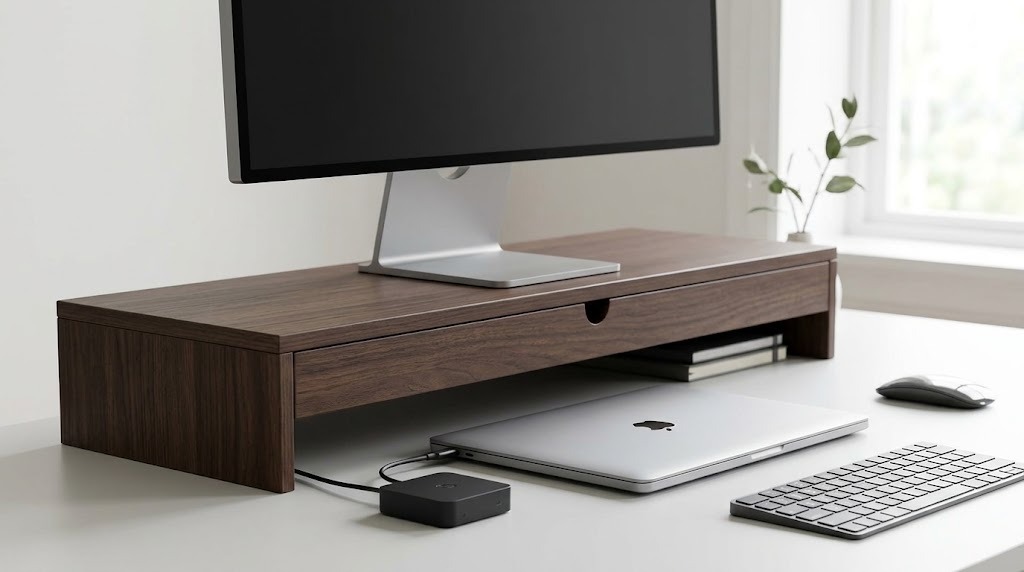
Monitor risers elevate your screen 3 to 5 inches while creating a hollow tunnel underneath for peripheral storage.
- Typical Price Range: $20 – $80
- Key Specs: Clears 100–200 square inches of desk space; supports 30–50 lbs.
- Expert Insight: Aluminum risers dissipate laptop heat effectively, while wooden risers often feature built-in felt-lined drawers for fragile items like glasses or external hard drives.
- Drawback: Fixed-height risers cannot be adjusted; if you buy one that is too tall, it will force your neck into an unergonomic upward tilt.
- Choose this if: You use a laptop alongside an external monitor and need a place to hide your keyboard at the end of the day.
- Skip it if: You use a monitor arm, which already frees up the desk space beneath the screen.
2. Modular Drawer Organizers – Best for High-Volume Stationery
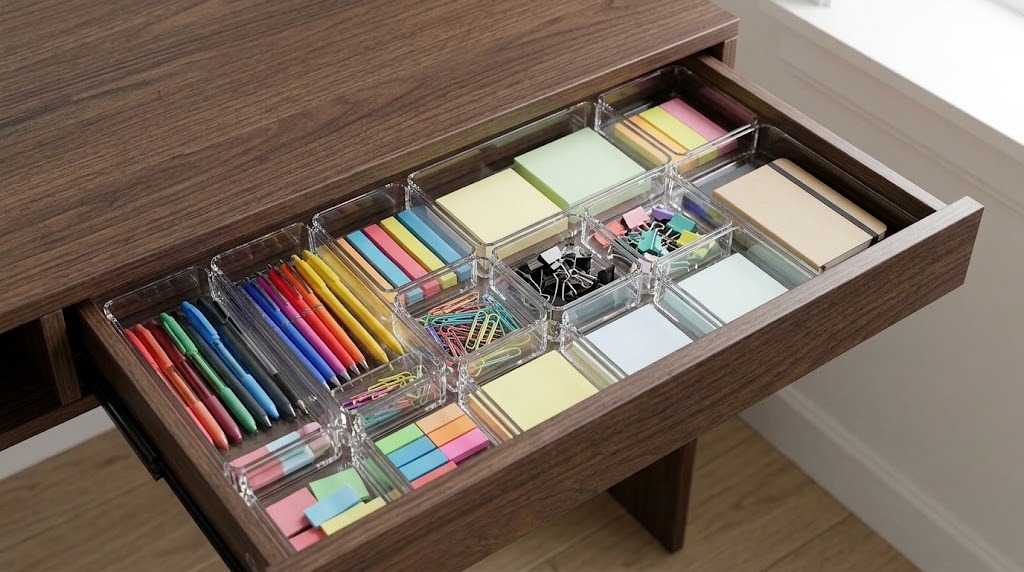
Modular drawer organizers are interlocking or customizable trays designed to subdivide large, cavernous desk drawers into specific micro-compartments.
- Typical Price Range: $10 – $35 per set
- Key Specs: Standard depths range from 1.5 to 2.5 inches; sets usually include 5 to 10 varied pieces.
- Expert Insight: Avoid fabric-lined organizers for office supplies; they trap graphite dust and ink spills. Opt for clear acrylic or bamboo with silicone non-slip feet so the trays do not slide when the drawer slams.
- Drawback: Pre-configured sets rarely perfectly match the internal dimensions of your specific drawer, often leaving awkward, unusable gaps at the edges.
- Choose this if: You have existing desk drawers that have devolved into chaotic “junk drawers.”
- Skip it if: Your desk is a simple tabletop with no built-in cabinetry.
3. Under-Desk Mounts and Drawers – Best for Minimalists
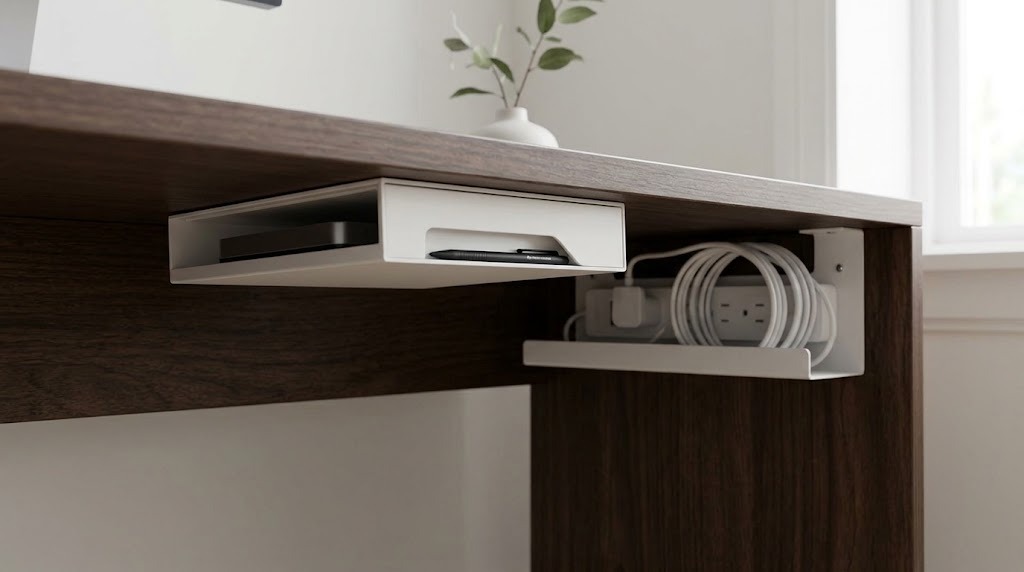
Under-desk storage utilizes adhesive, clamps, or screws to attach drawers, laptop holsters, or cable trays directly to the underside of the work surface.
- Typical Price Range: $25 – $60
- Key Specs: Requires at least 12 inches of flat clearance; maximum weight capacity is typically 10 to 15 lbs.
- Expert Insight: Never use drill-mounted under-desk storage on hollow-core desks (like the popular IKEA Linnmon series); the screws will rip out under load. Use clamp-on metal baskets or high-strength VHB adhesive mounts instead.
- Drawback: Improper placement frequently leads to banged knees or obstructed swivel chair armrests.
- Choose this if: You want a completely bare desktop and need to conceal external hard drives, power strips, or secondary laptops.
- Skip it if: Your desk has a thick metal crossbar running directly under the front edge, which blocks installation.
4. Vertical Desktop Pegboards – Best for Visual Creatives
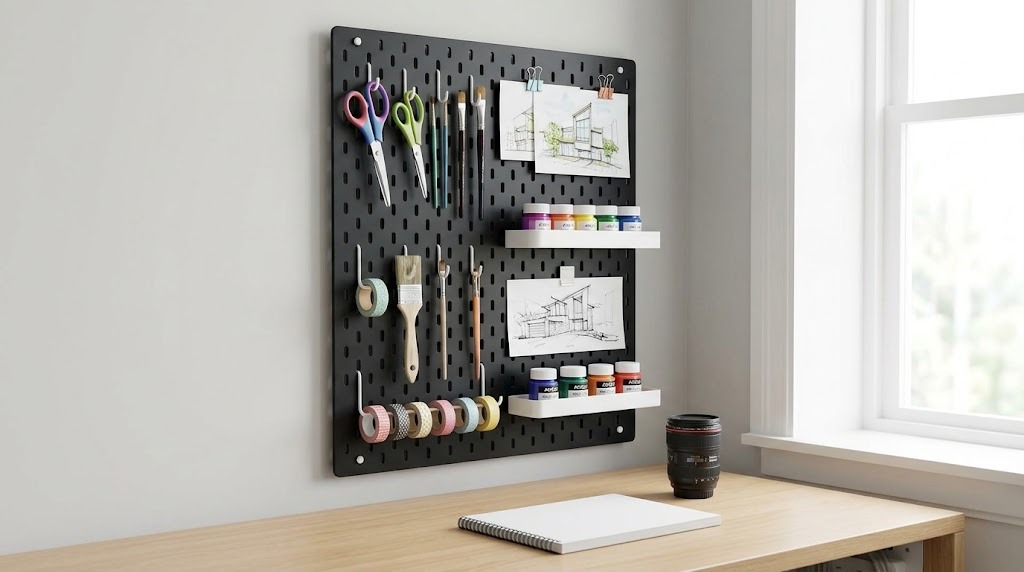
Pegboards and modern magnetic rail systems move storage off the horizontal plane and onto vertical grid panels, allowing users to hang tools in plain sight.
- Typical Price Range: $30 – $75
- Key Specs: Typical grid panels range from 11×11 inches to 22×22 inches.
- Expert Insight: Modern alternatives to traditional pegboards include clamp-on acoustic privacy panels with built-in pockets, which organize tools while dampening room echo during video calls.
- Drawback: Open storage inevitably collects dust quickly and can create visual noise that distracts users prone to cognitive overload.
- Choose this if: You need immediate, visible access to diverse physical tools (scissors, calipers, markers, tape).
- Skip it if: Your desk faces a window, leaving no wall or backing to mount the system against.
5. Mobile File Rolling Carts – Best for Corporate Remote Workers
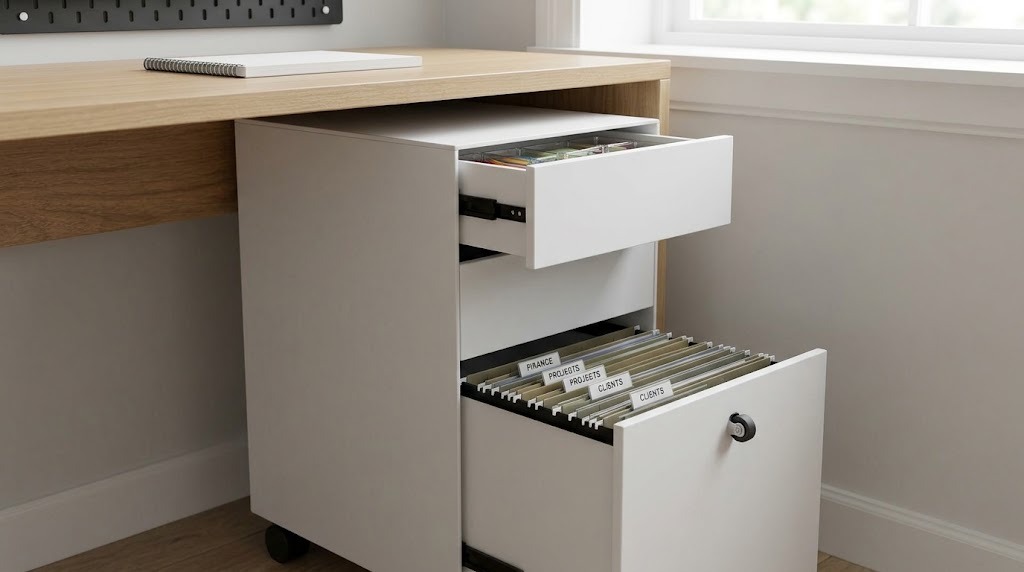
Rolling filing pedestals are heavy-duty, multi-drawer cabinets on casters designed to sit beneath or immediately adjacent to the desk.
- Typical Price Range: $40 – $120
- Key Specs: Standard heights range from 22 to 28 inches to fit beneath standard 29-inch desks.
- Expert Insight: Ensure the bottom drawer features a fifth caster wheel on the drawer face itself; without it, opening a drawer full of heavy paper will cause the entire cart to tip forward onto you.
- Drawback: They consume significant floor space and legroom, often preventing you from shifting side-to-side in your chair.
- Choose this if: Your job requires managing physical contracts, heavy document storage, or locking away confidential client data.
- Skip it if: You operate entirely digitally and primarily need to store cables and hard drives.
Which Storage System Should You Choose?
Selecting the right storage ideas depends entirely on your daily workflow and equipment payload.
The Tech-Heavy Minimalist
This user prioritizes a sleek, ultra-clean aesthetic and manages multiple devices. You should choose a heavy-duty monitor arm combined with an under-desk laptop mount and a clamp-on cable tray. Rely on magnetic cable anchors routed through desk grommets to keep charging lines perfectly hidden yet functional.
The Visual Creative
This user requires rapid access to physical prototyping tools and drawing materials. You should choose a clamp-on desktop pegboard or magnetic rail system. Hanging tools keeps inspiration visible while freeing up the main workspace floor for drafting, sketching, or model building.
The Corporate Remote Worker
This user handles physical paperwork, ledgers, and company-issued hardware. You should choose a mobile, locking 3-drawer filing pedestal matching your desk height. Dedicate the shallow top drawer to immediate office stationery, the middle to active project folders, and the deep bottom drawer to hanging archival files.
What Are the Most Common Storage Mistakes?
Workspace organization frequently fails when aesthetics are prioritized over functionality and spatial constraints.
- Buying Organizers Before Sorting: Purchasing bins and trays before taking inventory leads to a mismatched collection of containers that do not fit your items or desk dimensions. Always sort and measure first.
- Neglecting Cable Management: Leaving power bricks and cords loose on the desk ruins even the best storage setup. Attach a J-channel cable raceway or under-desk basket to host power strips, keeping cables completely off the floor.
- Overloading the Primary Zone: Keeping items like staplers, tape dispensers, or archival files in your immediate 15-inch reaching zone constricts your physical movement. Banish anything not used multiple times daily to a secondary shelf or drawer.
- Ignoring Weight Limits on Standing Desks: Attaching heavy solid-wood drawer units and fully loaded file pedestals to a motorized standing desk can burn out the lifting motors. Always calculate your desk’s maximum lifting capacity before adding mounted storage.
What Are the Limitations of Desk Storage?
Desk storage solutions are not universal fixes for having too many possessions. Even the most optimized modular drawer system cannot solve the problem of hoarding outdated electronics or redundant paperwork. Furthermore, heavily concealed storage (like deep under-desk pedestals) actively promotes the accumulation of clutter, as items hidden from daily view are rarely audited or discarded. Finally, complex clamp-on and screw-mounted systems can cause permanent cosmetic damage to high-end solid wood or fragile veneer desk surfaces.
Frequently Asked Questions
How deep should a desk be for effective storage?
A desk should be a minimum of 24 inches deep to allow for adequate storage. This depth provides enough room for a monitor riser at the back, a keyboard in the middle, and 6 to 8 inches of comfortable forearm resting space at the front edge.
Are under-desk drawers worth it?
Under-desk drawers are highly effective for storing laptops, notebooks, and pens on minimalist tables lacking built-in cabinetry. However, they are not suitable for deep filing or bulky items, as they typically only offer 1.5 to 3 inches of vertical clearance.
How do you store heavy tech cables and power bricks?
Tech cables and power bricks should be suspended in a wire basket or metal tray clamped to the rear underside of the desk. Wrap individual cords with Velcro ties to prevent “spaghetti” tangling, and plug them into a single surge protector housed within the tray.
Can you add storage drawers to a motorized standing desk?
Yes, you can add storage to a standing desk, provided you use lightweight, shallow adhesive or clamp-on drawers. Floor-based rolling carts are often a safer choice for standing desks to avoid exceeding the electric motor’s weight limits or interfering with the desk’s crossbars.
What is the best way to store a laptop on a desk?
The most space-efficient way to store a laptop is in a vertical aluminum stand, which reduces the device’s footprint from 100 square inches to roughly 20. Alternatively, mount a steel bracket beneath the desktop to slide the laptop entirely out of sight.