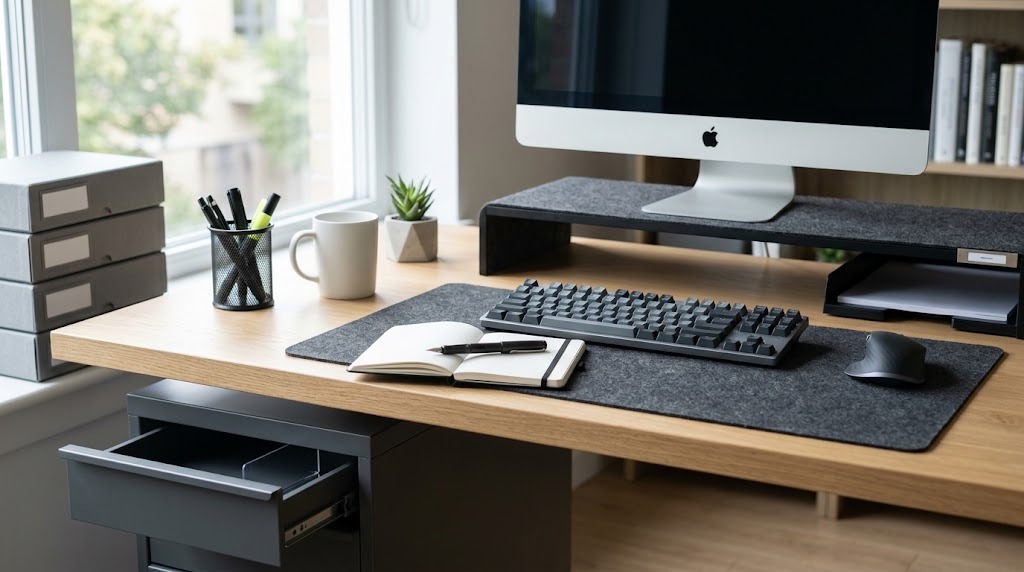
A desk organizer is a structured system of modular compartments, trays, and risers used to categorize workspace essentials and minimize physical clutter. By consolidating daily tools into a predictable layout within your primary ergonomic reach zone, a desk organizer reduces visual distraction, prevents continuous leaning, and limits the cognitive load of searching for misplaced items.

Key Facts / At a Glance:
- Optimal Placement: Daily-use items belong within a 14-inch horizontal radius from your seated position (the primary reach zone).
- Capacity Limit: Adhere to a strict “One Slot, One Purpose” rule; mixing paperclips, receipts, and cables in one compartment causes rapid system failure.
- Average Lifespans: Durability ranges from 2–5 years for molded plastics to a lifetime for premium hardwoods.
- Most Common Mistake: Purchasing an aesthetic organizer before auditing tools and measuring the desk’s depth is the leading cause of setup failure.
- Maintenance: A sustainable organizational system requires a daily 2-minute reset to return items to their designated slots.
How Do Desk Organizers Improve Ergonomics?
Desk organizers improve ergonomics by aligning physical tool storage with natural human biomechanics, specifically utilizing horizontal and vertical reach zones. Without a structured storage system, accessories drift across the desk, forcing workers to overextend their shoulders or repeatedly bend their upper back to retrieve items.
The Occupational Safety and Health Administration (OSHA) and ergonomics experts divide workspace geometry into distinct zones based on access frequency.
- The Primary Reach Zone (0 to 14 inches): This is the immediate semi-circle accessible with elbows kept close to the torso and forearms sweeping horizontally. This zone must remain completely empty except for active input devices (keyboard, mouse, primary notepad).
- The Secondary Reach Zone (14 to 22 inches): Reached by extending the arms without bending the back. Desktop organizers, caddies, and reference documents belong exactly on the border of this zone.
- The Tertiary Reach Zone (22 to 30+ inches): Requires a forward lean. Use this zone for items accessed less than once per day, such as heavy file trays or backup hard drives.
Expert Insight: Position your most-used compartments based on your dominant hand. A right-handed worker should position pen cups and active paper trays on the right side of the secondary reach zone to prevent crossing the body’s midline, which causes micro-twists in the lumbar spine.
How to Set Up Your Workspace (The 5-Step System)
Implementing a desk organizer requires a systematic audit of your workspace to ensure long-term functionality. Do not purchase any storage equipment until completing the first three steps of this procedure.
Before You Start:
- Time Required: 30–45 minutes.
- Materials Needed: Microfiber cloth, surface cleaner, tape measure, three sorting boxes.
Step 1: The Empty Cleanse
Remove every single item from your current desk, including monitors and keyboards if possible. Wipe down the bare surface with a microfiber cloth. You cannot evaluate a workspace’s potential while it is cluttered.
Step 2: The Sorting Triad
Categorize all removed items into three distinct piles based on actual usage frequency.
- Keep (Daily): Items used multiple times a day (pens, laptop, phone charger, active notebook). These will live in the desktop organizer.
- Keep (Weekly): Items used occasionally (stapler, extra sticky notes, reference manuals). These must be relegated to an in-drawer tray.
- Discard/Relocate: Expired documents, dried-out pens, or coffee mugs. Note: True “archival” documents do not belong on or in a desk; move them to a dedicated filing cabinet.
Step 3: Measure Your Terrain
Use a tape measure to record your desk’s surface dimensions. Standard office desks typically feature a depth of 24 to 30 inches. If your desk depth is under 24 inches, you cannot afford the footprint of a deep desktop organizer and must utilize vertical space (monitor risers or pegboards). Measure the internal height, width, and depth of any drawers.
Step 4: Map the Zones and Install
Place your empty organizer into the secondary reach zone (14 to 22 inches from your resting seated position). Ensure the organizer does not block your monitor’s line of sight or interfere with your mouse hand’s natural travel path.
Step 5: Assign and Maintain Homes
Place your sorted daily items into designated slots. Dedicate 2 minutes at the end of every workday to return items to these exact slots. A system only works if the reset becomes a daily habit.
What Are the Main Types of Desk Organizers?
Desk organizers fall into five distinct structural categories, each designed to solve specific spatial limitations and workflow requirements.
Desktop Caddies & Carousels
Desktop caddies are compact, multi-slotted units designed to sit directly on the work surface. Carousels offer a 360-degree rotating base, allowing deep storage without requiring a large linear footprint.
- Best for: Heavy stationery users, illustrators, and educators.
- Requirement: Desks with a depth of at least 28 inches to prevent the unit from encroaching on the keyboard zone.
In-Drawer Dividers & Trays
In-drawer trays are modular plastic, wood, or felt grids hidden completely inside desk drawers. They maximize clear surface space by keeping the desktop 100% empty.
- Best for: Minimalists, digital-first workers, and users with compact desks (under 48 inches wide).
- Drawback: The “out of sight, out of mind” effect can lead to drawer hoarding if not audited monthly.
Document Trays & Letter Sorters
These units feature vertical or horizontally stacked tiers designed specifically for processing flat media.
- Best for: Legal professionals, accountants, and paper-heavy workflows.
- Expert Tip: Choose horizontal stacking for active “in/out” boxes, and vertical slotted sorters for storing closed file folders.
Monitor Stands with Built-in Organization
Monitor risers are platforms that elevate a computer screen 3 to 6 inches to eye level, utilizing the hollow space underneath for pull-out trays, phone docks, and keyboard storage.
- Best for: Laptop-and-monitor hybrid users and ergonomic optimization.
- Limitation: Always check the weight capacity; cheap acrylic stands will bow under the weight of an ultra-wide monitor.
Modular Pegboards & Slatwalls
Pegboards are vertical, wall-mounted, or desk-clamped grids. They allow users to rearrange hooks, shelves, and cups dynamically, utilizing vertical air space rather than flat square footage.
- Best for: Small apartments, craft stations, and hardware-heavy tech setups.
- Installation Note: Desk-clamped versions require a desk edge with at least 2 inches of lip clearance and no under-desk beveling.
Comparison of Organizer Formats
| Organization Type | ✅ Advantages | ⚠️ Disadvantages | Best Desk Depth |
| Desktop Caddies | Everything immediately visible; easy access without shifting posture. | Consumes valuable square footage; gathers surface dust rapidly. | 28″ – 30″+ |
| In-Drawer Trays | Maintains a completely empty desk look; keeps tech/tools dust-free. | Requires opening a drawer repeatedly; limited by rigid interior dimensions. | Any |
| Vertical Pegboards | Frees up 100% of desktop space; keeps cables suspended and untangled. | Visually dominant; reaching upward repeatedly can cause shoulder fatigue. | 20″ – 24″ |
Which Desk Organizer Material Should You Choose?
The optimal desk organizer material depends heavily on your workspace aesthetic, budget, and the surface material of your actual desk. Prices range from $10 for mass-produced plastics to well over $200 for artisanal hardwoods.
| Material Type | Price Range | Expected Lifespan | Distinct Advantages & Drawbacks |
| Acrylic / Plastic | $10 – $30 | 2–5 Years | Pros: High visibility of small items. Cons: Shows fingerprints easily; can crack if dropped. |
| Wire Mesh / Steel | $15 – $40 | 5–10+ Years | Pros: Extremely durable; doesn’t collect dust in corners. Cons: Can scratch soft wood or laminate desks. |
| Sustainable Bamboo | $25 – $60 | 5–10 Years | Pros: Eco-friendly; warm texture. Cons: Prone to swelling or warping if exposed to moisture/spills. |
| Premium Hardwood | $60 – $200+ | Lifetime | Pros: Executive aesthetic; heavy enough to stay in place. Cons: Expensive; requires occasional oiling. |
| Vegan Felt / Leather | $40 – $120 | 3–7 Years | Pros: Tactile comfort; completely silent when dropping items in. Cons: Absorbs ink spills permanently. |
Persona Recommendations
- For the Minimalist / Tech-Centric User: Opt for an under-desk drawer addition or a premium hardwood monitor riser (like a Grovemade stand) paired with wool felt trays. Felt prevents metal tech accessories from scratching while dampening acoustic noise.
- For the Creative / Heavy Stationery User: You require high visibility and rapid access. Choose a clear acrylic modular system or a heavy-duty steel pegboard setup. Avoid deep, opaque cups where small supplies will get lost at the bottom.
- For the Executive / Professional Workspace: Focus on prestige materials that age beautifully. Select matching top-grain leather desk mats and walnut wood caddies. Avoid wire mesh, which projects a break-room aesthetic.
What Are the Most Common Organization Mistakes?
Buying the Organizer First
The absolute most common error is purchasing an attractive organizer before knowing what needs to go inside it or measuring the desk’s depth.
The Fix: Always run the “Empty Cleanse” and sort your tools first. Buy storage to fit the tools, never force tools to fit the storage.
The “Micro-Compartment” Trap
Buying an organizer with dozens of tiny, rigid slots looks highly organized in photos but fails in practice. If your tools change—such as upgrading to a wider smartphone or using a thicker notebook—the rigid organizer becomes entirely useless.
The Fix: Choose modular options with removable dividers, or select layouts featuring at least two oversized, universal compartments.
Overstuffing the Unit (Capacity Mismatch)
If your organizer is constantly overflowing despite regular cleanouts, you are facing a capacity mismatch. Turning a desktop organizer into a secondary junk drawer defeats its purpose.
The Fix: Implement the 40% rule. Shift 40% of low-usage items (extra charging cables, spare staple boxes) to an in-drawer tray, leaving only the immediate daily essentials in the surface unit.
Frequently Asked Questions
Can a desk organizer improve productivity?
Yes. A desk organizer improves productivity by reducing “visual noise,” which actively drains cognitive resources, and by eliminating the micro-distractions caused by searching for misplaced tools during deep-focus work blocks.
How much desk space should remain completely empty?
The primary reach zone—a 14-inch horizontal radius radiating outward from your keyboard—should remain entirely empty of storage containers. This space is reserved strictly for active input tools and forearms to prevent physical restriction.
What is the best way to organize charging cables on a desk?
Do not store loose cables in a desktop caddy. The most effective method is a hybrid approach: route active cables through a weighted desktop cord holder or the channels of a monitor stand, while wrapping and storing inactive cables in an enclosed drawer tray.
How do you clean an acrylic or plastic desk organizer?
Remove all items and blow out the corners with compressed air. Wipe the unit with a microfiber cloth lightly dampened with a mixture of warm water and mild dish soap. Never use ammonia-based glass cleaners on acrylic, as it causes permanent clouding and micro-cracking.